

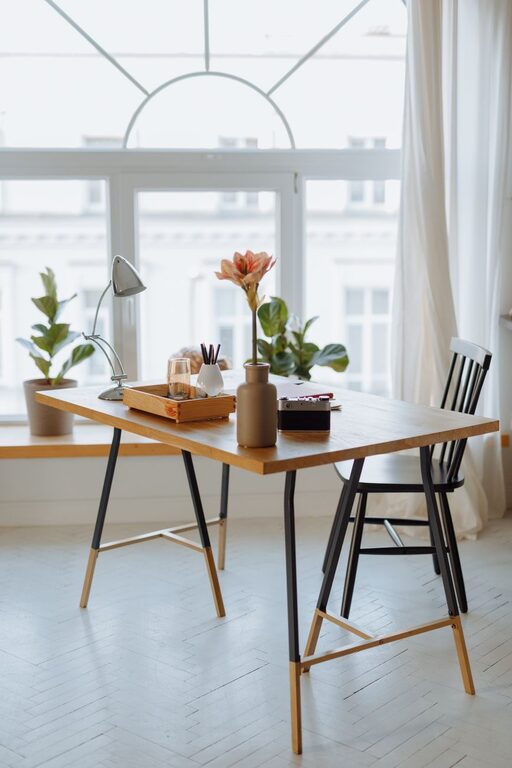
Creating a cozy and functional home workspace can make a big difference in how productive and comfortable you feel during your workday. Whether you’re working from home full-time or just need a dedicated spot for occasional tasks, having the right setup helps minimize distractions and boosts your focus. In this post, we’ll explore practical tips to help you design a workspace that’s both inviting and efficient.
Why a Good Home Workspace Matters
Working from home offers flexibility, but it also brings challenges like distractions and poor posture. A thoughtfully arranged workspace can improve your mood, encourage better work habits, and reduce strain on your body. Let’s dive into how you can create a space that supports your work style and keeps you comfortable.
Choosing the Right Location
Consider Natural Light
Try to select a spot near a window. Natural light helps reduce eye strain and elevates your mood. If a window isn’t available, invest in bright, adjustable artificial lighting that mimics daylight.
Minimize Noise and Distractions
Pick a quiet corner or a room where interruptions are infrequent. Noise-canceling headphones can also be helpful if background noise is unavoidable.
Furniture and Ergonomics
Invest in a Comfortable Chair
A good chair supports your lower back and encourages proper posture. Look for adjustable height and lumbar support.
Choose a Suitable Desk
Select a desk that fits your space and allows enough room for your computer, accessories, and other essentials. Standing desks or adjustable desks offer added flexibility.
Position Your Screen Properly
Your monitor should be at eye level, about 20-30 inches from your face to avoid neck and eye strain.
Organizing Your Workspace
Declutter Regularly
Keep only the tools and items you use daily on your desk. Store others in drawers or shelves to maintain a clean surface.
Use Storage Solutions
Drawers, shelves, and organizers help keep papers, pens, and gadgets in order. Label containers for easy access.
Cable Management
Tidy up cables with clips or sleeves to prevent tangles and create a neat appearance.
Adding Comfort and Personal Touches
Soft Textiles
Incorporate cushions, rugs, or blankets to add warmth and softness to your space.
Plants
Plants not only improve air quality but also add a lively, calming aesthetic.
Personal Items
Framed photos, artwork, or inspirational quotes can motivate you without causing distraction.
Lighting Tips
Task Lighting
A desk lamp with adjustable brightness can reduce eye strain during detailed work.
Avoid Glare
Position your screen to avoid glare from windows or lamps, which can cause discomfort.
Maintaining a Healthy Routine
Take Breaks
Set reminders to stand, stretch, and move around every hour.
Stay Hydrated
Keep a water bottle nearby to maintain focus and hydration.
Create Boundaries
Define your work hours and space clearly, especially in shared living environments, to balance work and personal life.
Technology and Connectivity
Reliable Internet
Ensure your home internet connection is stable for smooth video calls and downloading.
Backup Power
Consider a surge protector or an uninterruptible power supply to protect your equipment.
Ergonomic Accessories
Use an external keyboard and mouse for better comfort during long hours of computer use.
Final Thoughts
Designing a home workspace that suits your needs doesn’t have to be complicated. By focusing on comfort, organization, and personalization, you can create a cozy, welcoming area that enhances your productivity. Remember, small changes can make a big difference in how you feel and work every day.
Feel free to experiment and adjust your setup as your work habits evolve. With the right environment, working from home can be both enjoyable and efficient!