

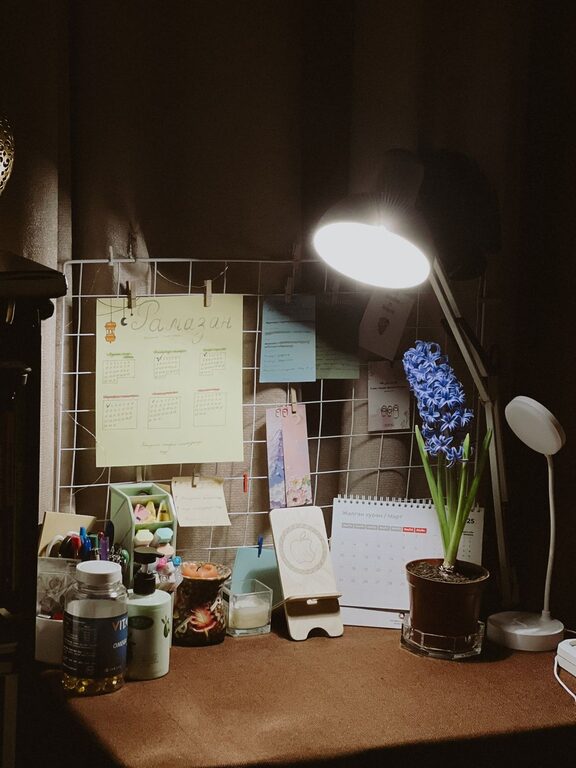
Creating a cozy and inviting home office is more than just arranging a desk and chair. It’s about designing a space where you feel comfortable, focused, and motivated to accomplish your tasks. Whether you work remotely full-time or need a dedicated area for occasional projects, the right setup can boost your productivity and overall well-being.
In this post, we’ll explore practical tips to help you create a warm, welcoming home office that suits your style and work habits.
Choose the Right Location
The first step is selecting the ideal spot for your home office. Consider these factors:
– Natural Light: Position your desk near a window to maximize sunlight. Natural light improves mood and reduces eye strain.
– Quietness: Opt for a quiet corner or room away from household noise to minimize distractions.
– Space: Ensure there’s enough room for your desk, storage, and movement. Avoid cramped areas to help you feel less confined.
Invest in Comfortable Furniture
Comfort is key when spending long hours working. Here’s what to prioritize:
– Ergonomic Desk and Chair: Choose a chair with good lumbar support and adjustable height. Pick a desk that fits your equipment and allows comfortable legroom.
– Flexible Layout: Consider using a standing desk or adjustable workstation to alternate between sitting and standing.
– Soft Furnishings: Add a plush rug, cushions, or a cozy throw blanket to soften the space and make it inviting.
Personalize Your Workspace
Adding personal touches can make the area feel uniquely yours and enhance your mood:
– Decor: Use wall art, photos, or inspirational quotes that motivate you.
– Plants: Indoor plants improve air quality and create a calming atmosphere.
– Color Scheme: Choose soothing colors like soft blues, greens, or warm neutrals to create a relaxing environment.
Organize and Declutter
A clean, tidy workspace helps you stay focused and reduces stress:
– Storage Solutions: Use shelves, filing cabinets, or baskets to keep supplies organized.
– Desk Accessories: Utilize cable organizers and drawer dividers to minimize clutter.
– Daily Routine: Develop a habit of tidying up at the end of each workday.
Optimize Lighting
Lighting can dramatically impact productivity and eye comfort:
– Layered Lighting: Combine natural light with overhead lighting and task lamps.
– Adjustable Lamps: Use desk lamps with brightness control to customize light levels.
– Avoid Glare: Position screens and lights to reduce reflections and glare on your monitor.
Incorporate Technology Thoughtfully
Technology is essential but should not overwhelm your space:
– Cable Management: Use clips or sleeves to keep cords neat and out of sight.
– Quality Equipment: Invest in a reliable computer, keyboard, and headphones that enhance comfort and efficiency.
– Charging Station: Designate a spot for charging devices to keep them accessible and organized.
Create Zones for Different Tasks
If space allows, dividing your office into functional zones can improve workflow:
– Work Zone: The main desk area for computer work and writing.
– Reference Zone: Shelves or cabinets holding books, documents, and supplies.
– Relaxation Zone: A small corner with a comfortable chair for breaks or reading.
Add Elements That Boost Wellness
Promote physical and mental health in your workspace:
– Air Quality: Keep windows open when possible or use air purifiers.
– Ergonomics: Incorporate wrist rests, footrests, or monitor stands.
– Break Reminders: Use timers or apps to remind you to take regular breaks and stretch.
Final Thoughts
Designing a cozy and inviting home office is about balancing comfort, functionality, and personal style. By focusing on light, organization, furniture, and touches that make you happy, you can build a workspace where productivity and well-being go hand in hand.
Start with small changes and adjust your setup over time until it feels just right. Enjoy creating a home office that inspires you every day!